Key Concepts in Zeltask
Zeltask is built around connected workflows. Understanding these core concepts—and how they link together—helps you get value from the platform quickly.
The Connected System
Before diving into individual concepts, understand that Zeltask's value comes from connection, not from isolated features. An inspection finding links to a ticket, which triggers a corrective action, tied to an asset—all with context preserved. This traceability is created as work is executed, not reconstructed later.
Actions (Work Orders)
An Action is any task that needs to be completed by your team. Zeltask uses "Action" and "Work Order" interchangeably.
| Type | Description | Example |
|---|---|---|
| Preventive | Scheduled, recurring tasks to maintain equipment | Monthly compressor inspection |
| Reactive | Tasks created in response to an issue or urgent need | Repair a broken conveyor belt |
Actions can be assigned to users or teams, linked to assets and locations, and tracked through states: Open, In Progress, On Hold, and Done.
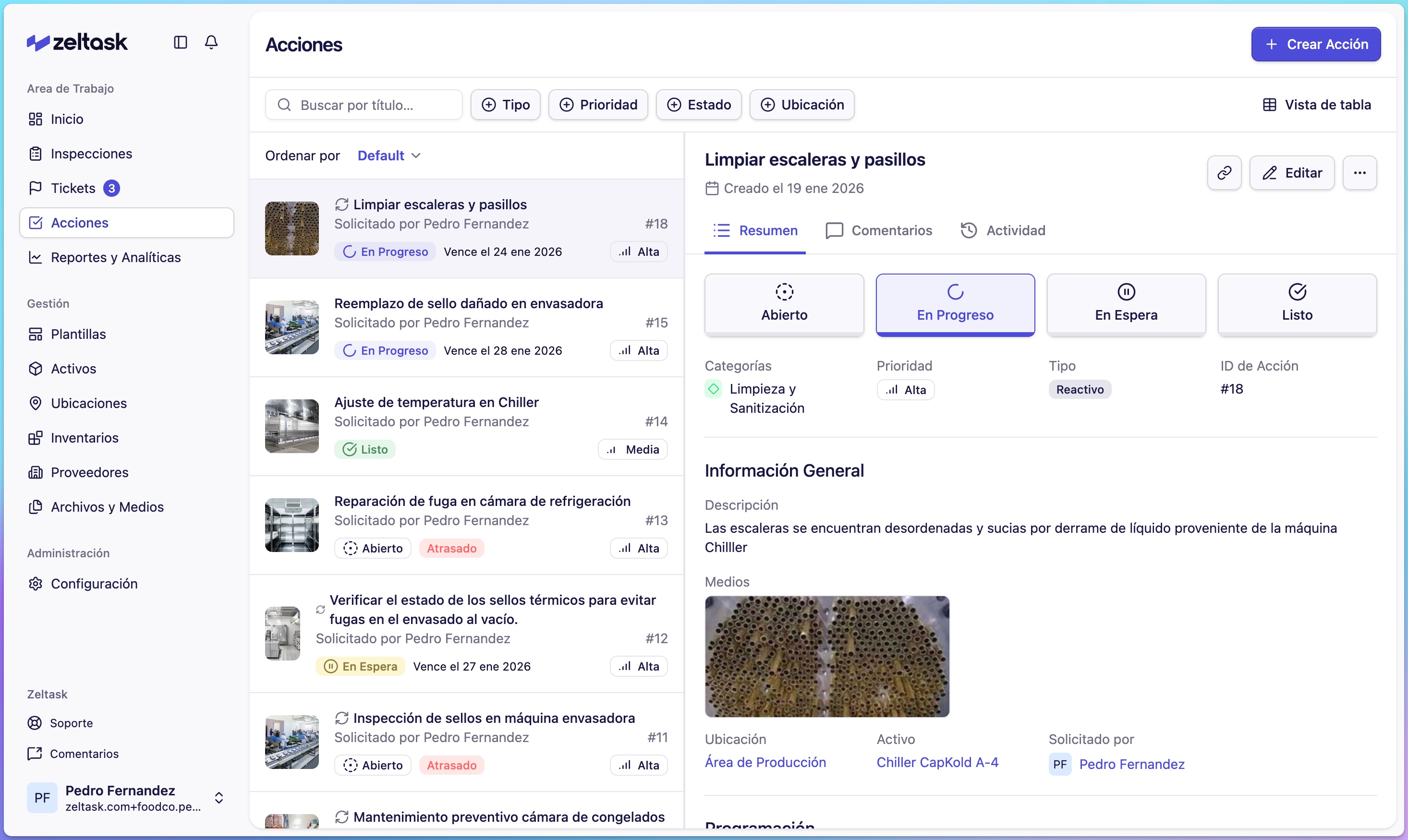
Connection: Actions are triggered by inspections, incidents, or schedules—and link to assets to build maintenance history.
Inspections
An Inspection is a structured checklist executed on the plant floor. Inspections replace paper forms with digital execution that preserves context and enables follow-up.
Inspections can include:
- Multiple sections and pages
- Different question types (yes/no, text, numeric, photos, signatures)
- Conditional logic that triggers actions based on answers
- Required evidence capture
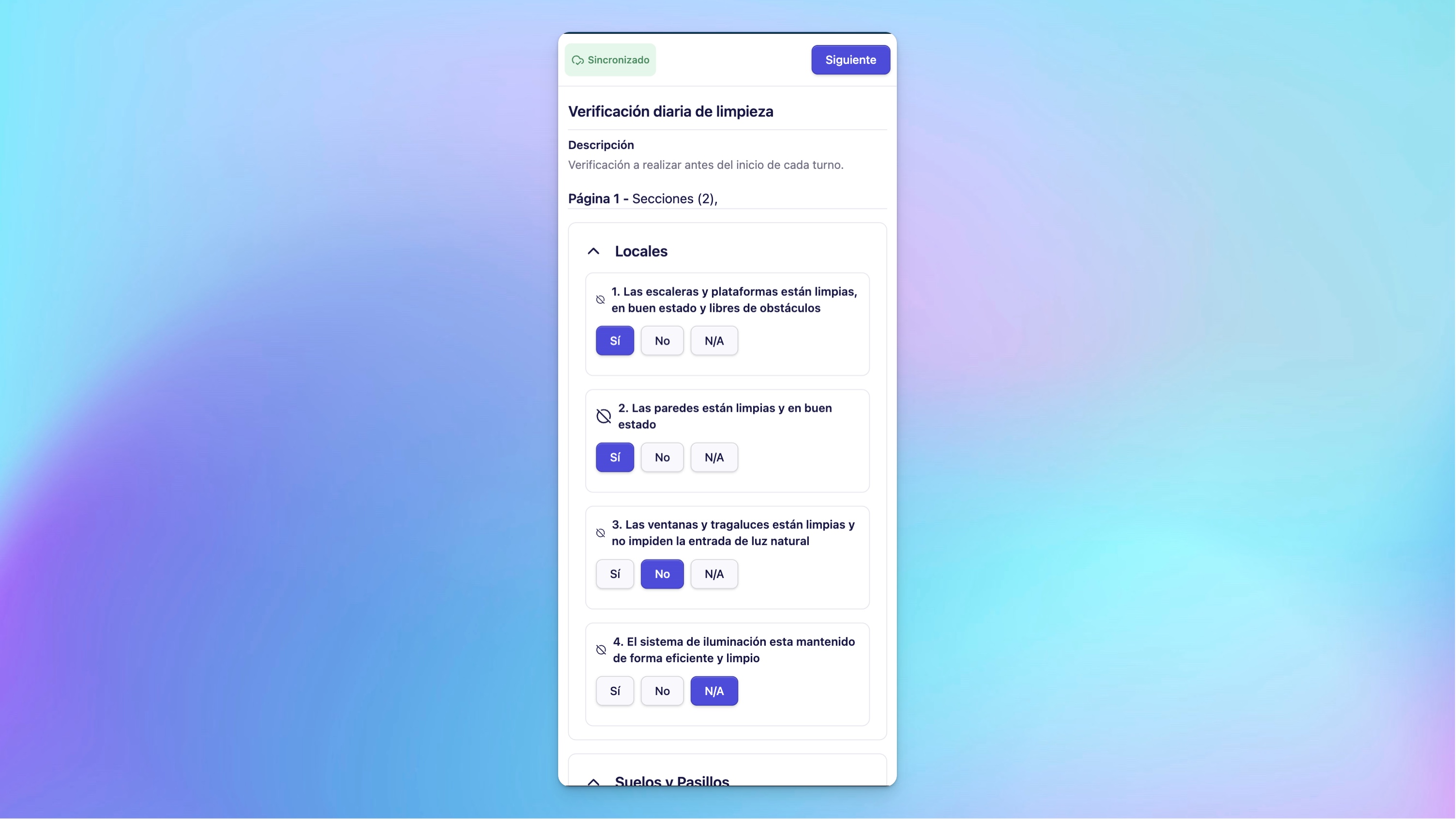
Connection: When an inspection reveals a deviation, you can create a ticket or action directly—linked to the relevant asset and location.
Templates
A Template is a reusable structure that defines the questions and logic for an inspection or procedure. Templates ensure consistency across your organization.
Templates contain:
- Sections and questions
- Answer types and validation rules
- Conditions and triggers (notifications, required evidence, action creation)
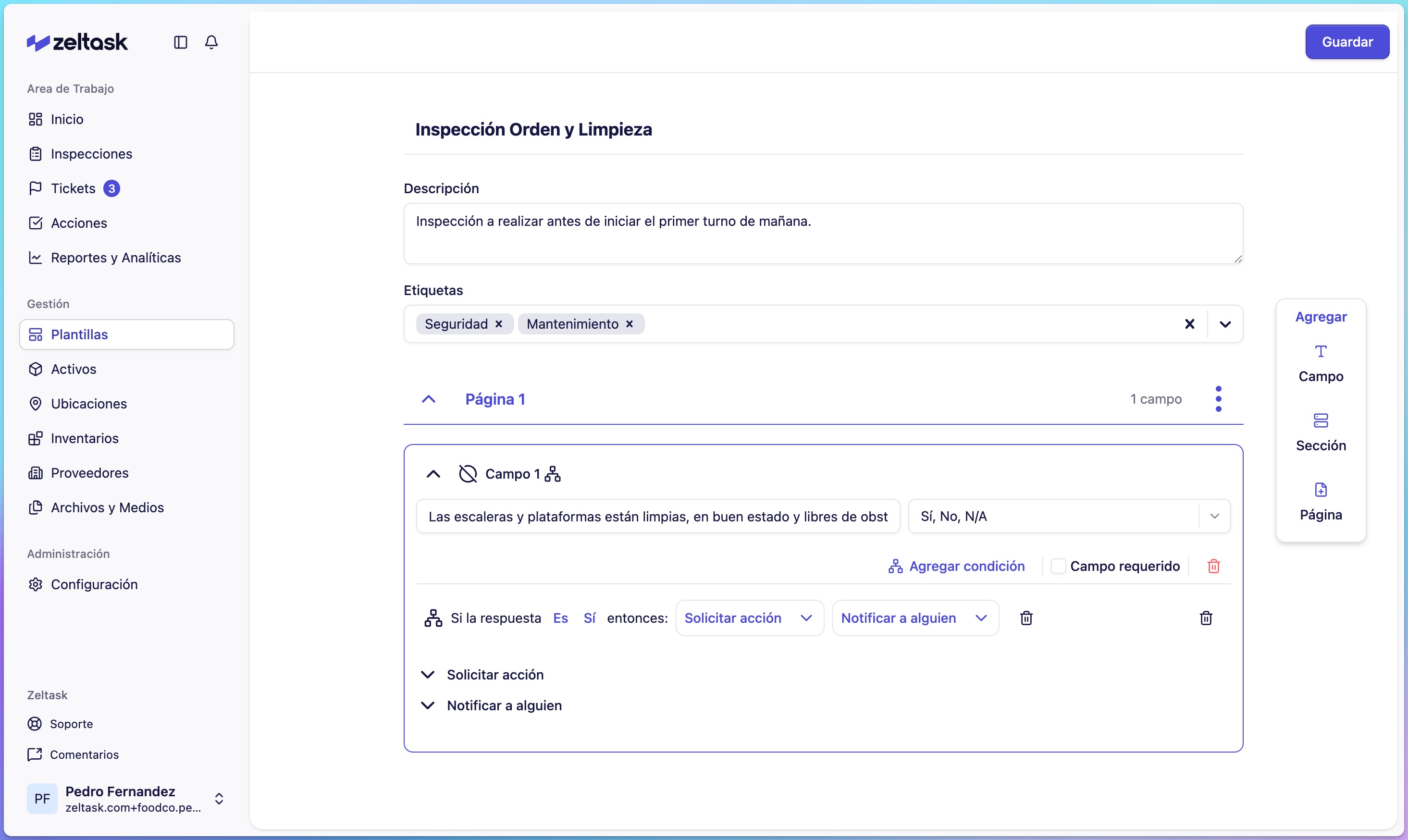
Templates are created once by managers and executed repeatedly by frontline teams.
Assets
An Asset is any piece of equipment your organization needs to track:
- Production machinery (mixers, packaging lines, ovens)
- Auxiliary equipment (HVAC, compressors, water systems)
- Tools (multimeters, calibration equipment)
- Digital devices (sensors, PLCs, control panels)
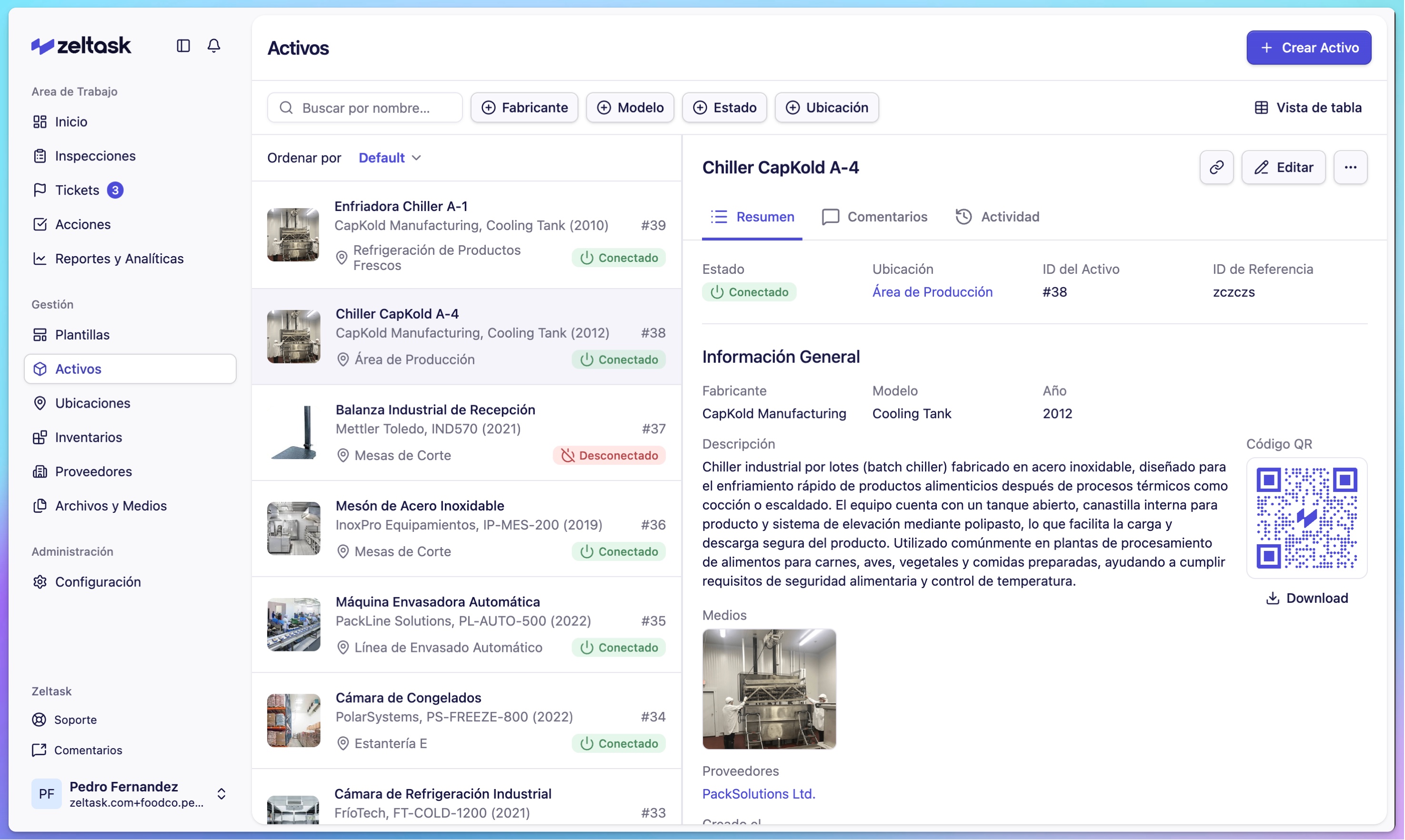
Connection: Assets are the backbone of Zeltask. Every inspection, action, and ticket links to assets, building a complete operational history over time.
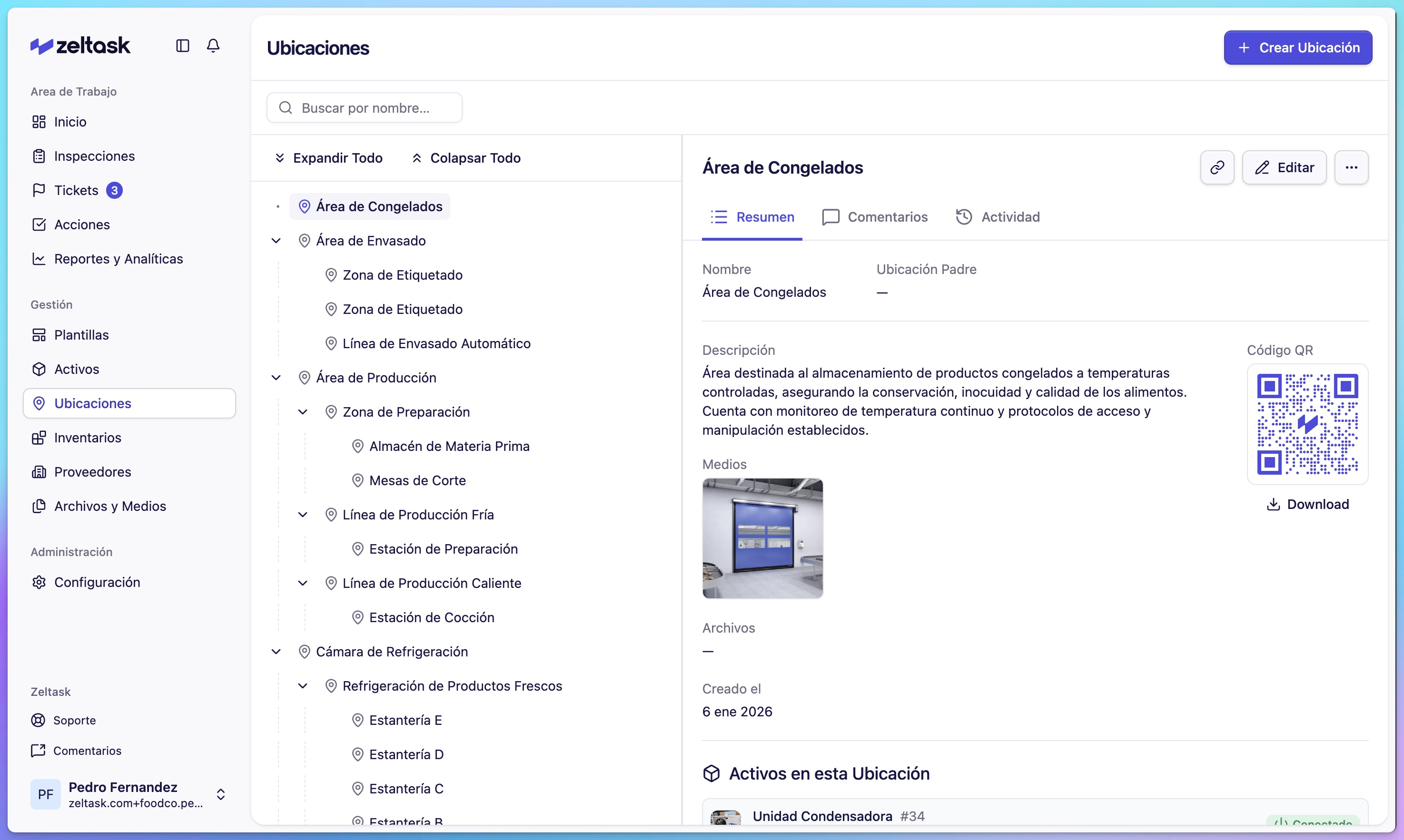
Locations
A Location represents a physical space—a building, area, room, or zone. Locations help you:
- Organize where tasks happen
- Assign assets to specific areas
- Filter reports by site or zone
- Use QR codes for quick field access
Tickets
A Ticket is a reported situation—such as a deviation, risk, failure, or request—that needs attention and resolution.
Tickets can:
- Be created manually or triggered from inspections
- Include photos and contextual evidence
- Generate corrective actions with clear ownership
- Track root cause analysis
Connection: Tickets close the loop between detection and resolution—linking the finding to follow-up actions and affected assets.
Inventory
Inventory tracks spare parts and materials across storerooms. When completing work orders, technicians log which parts they used, keeping stock levels accurate.
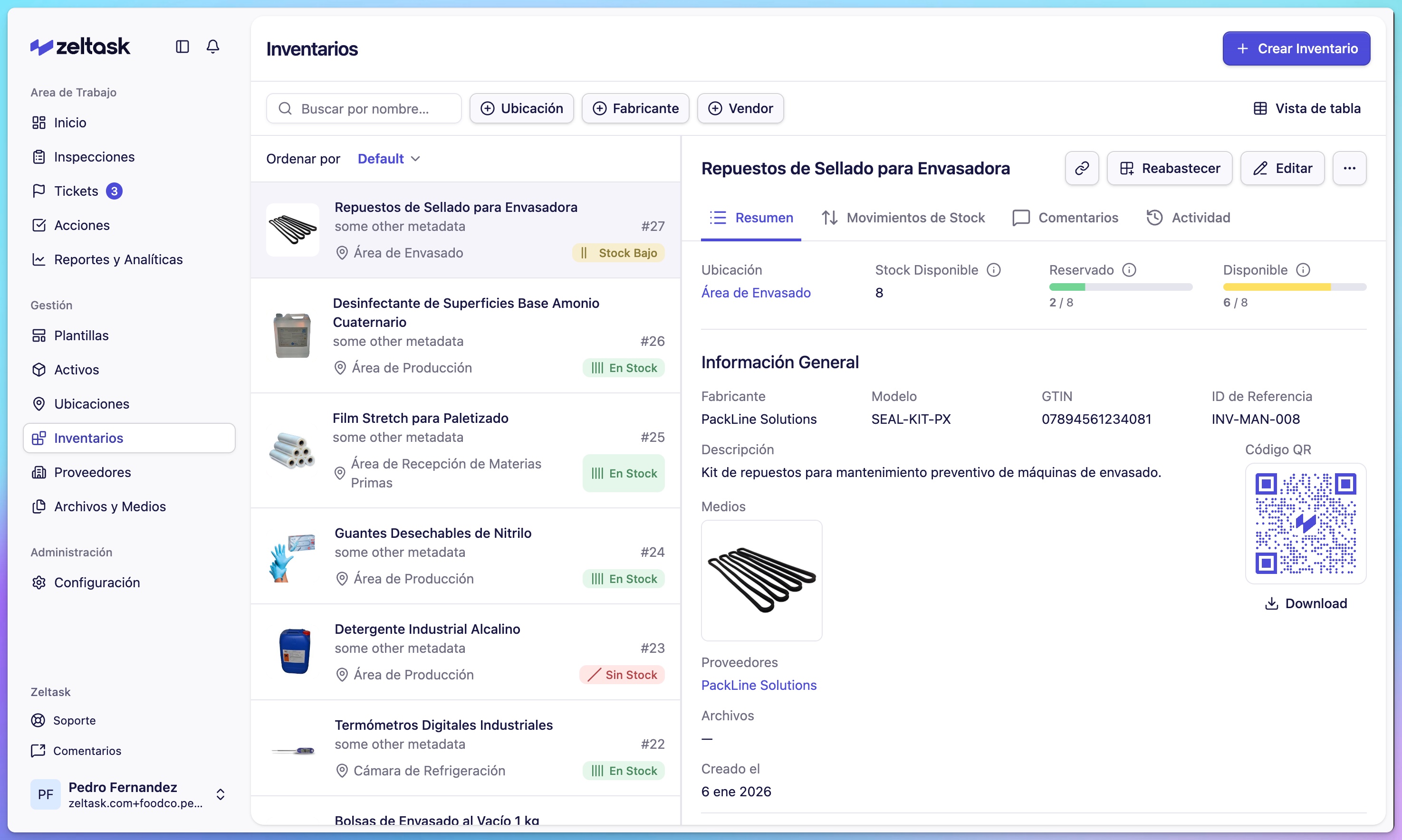
Connection: Parts consumption links to specific actions and assets, helping you understand maintenance costs over time.
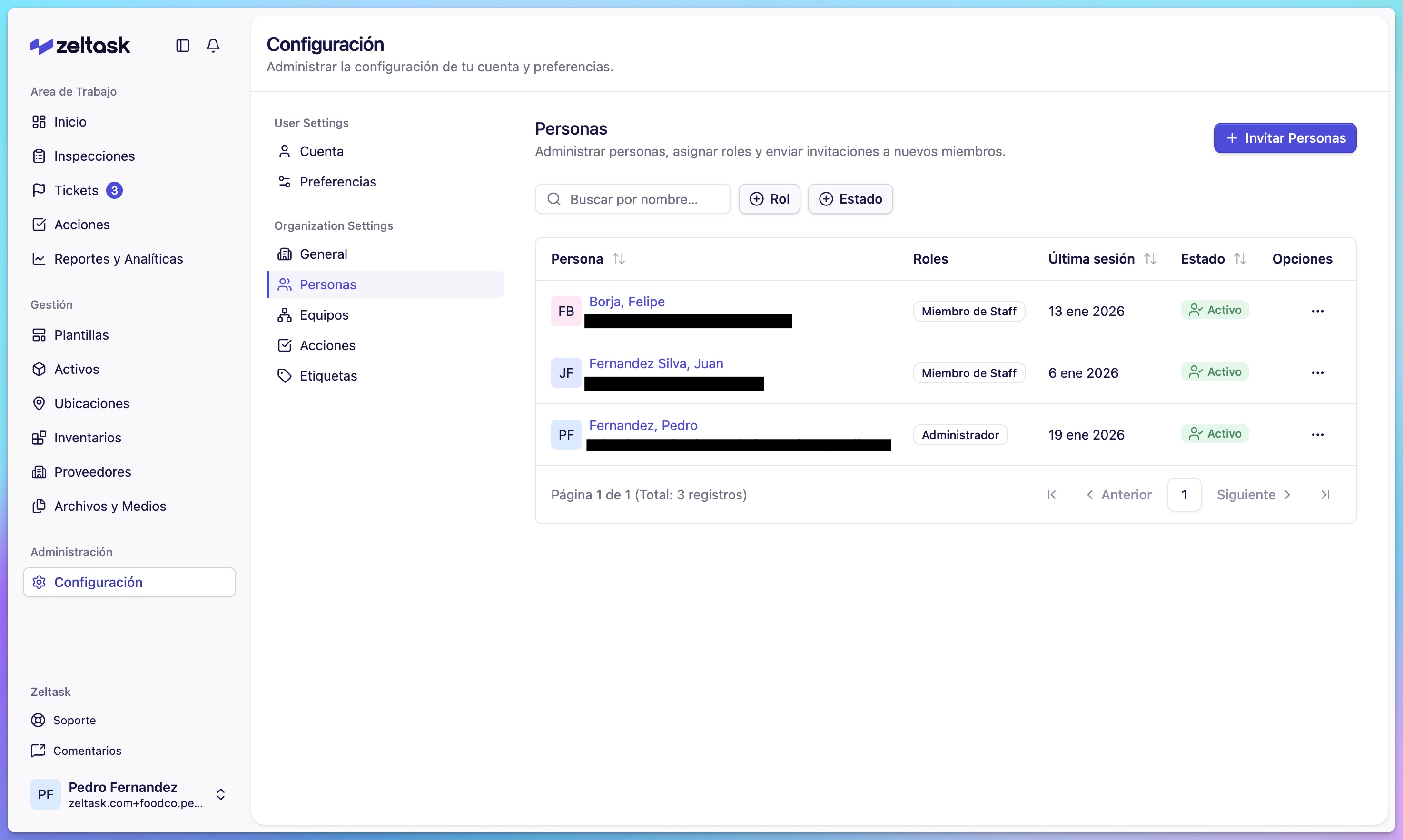
Teams and Users
- Users are individual people with access to Zeltask
- Teams are groups organized by function, area, or responsibility
Actions and inspections can be assigned to individual users or entire teams.
How Everything Connects
This diagram shows the flow between modules:
Templates → define → Inspections → find issues → create Incidents
                                                        ↓
                                               generate Actions
                                                        ↓
                                          performed on Assets
                                                        ↓
                                             located at Locations
                                                        ↓
                                               consume Inventory
The result: full traceability from detection to resolution, with context preserved at every step.
Terminology Quick Reference
| Use This | Not This |
|---|---|
| Action / Work Order | Task, Job |
| Inspection | Audit, Checklist (alone) |
| Asset | Equipment, Machine |
| Ticket | Issue, Problem, Incident |